Client Portalfieldpad.app/login
Client Portal Guide
How to View Your Property's Vehicles
Your client portal account lets you see every vehicle registered at your property in real time: licence plates, permit status, and start/end dates. Five steps:
1
Log In
- Go to fieldpad.app/login on any phone or computer.
- Enter the username and password provided to you.
- Click Log In.
2
Open the Vehicles Menu
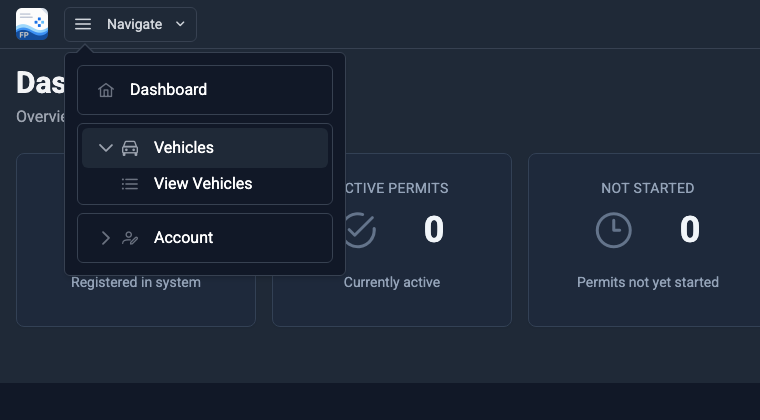
- Click Navigate in the top-left corner.
- Click Vehicles to expand it.
- Click View Vehicles.
3
Review Your Vehicle List
Every registered vehicle appears with its licence plate, permit ID, and start / end dates. The numbered buttons in the screenshot:
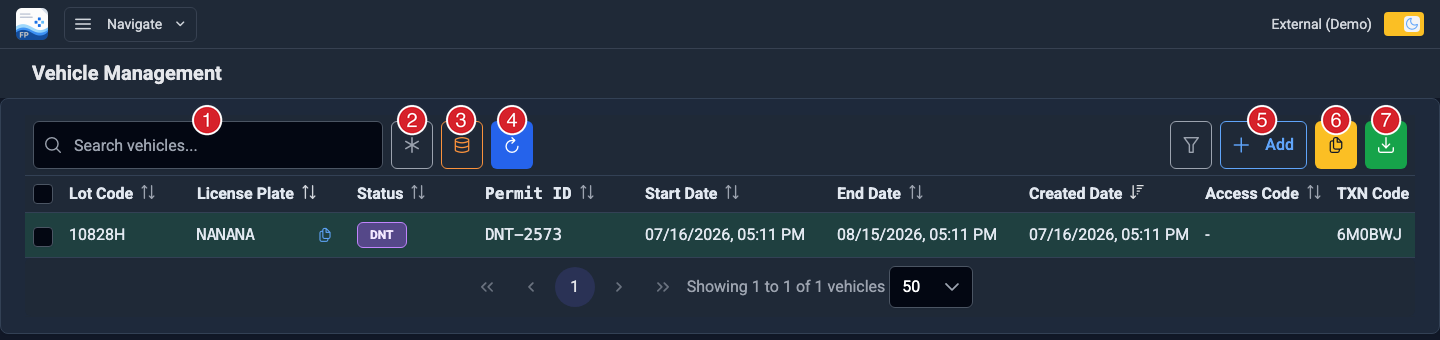
| 1 Search box | Type a licence plate or permit ID to narrow the list. |
| 2 Fuzzy search | Finds a plate even if a character is typed wrong. |
| 3 Search all | Searches the entire database, not just the vehicles loaded on screen. |
| 4 Refresh | Reloads the list with the latest data. |
| 5 Add | Registers a new vehicle. |
| 6 Copy | Copies the selected vehicles to your clipboard. |
| 7 Download | Exports the selected vehicles to a spreadsheet (CSV). |
4
Add a Vehicle
Click + Add (button 5 above) to register a visitor or a new vehicle. Fill in the form and click Add Vehicle:
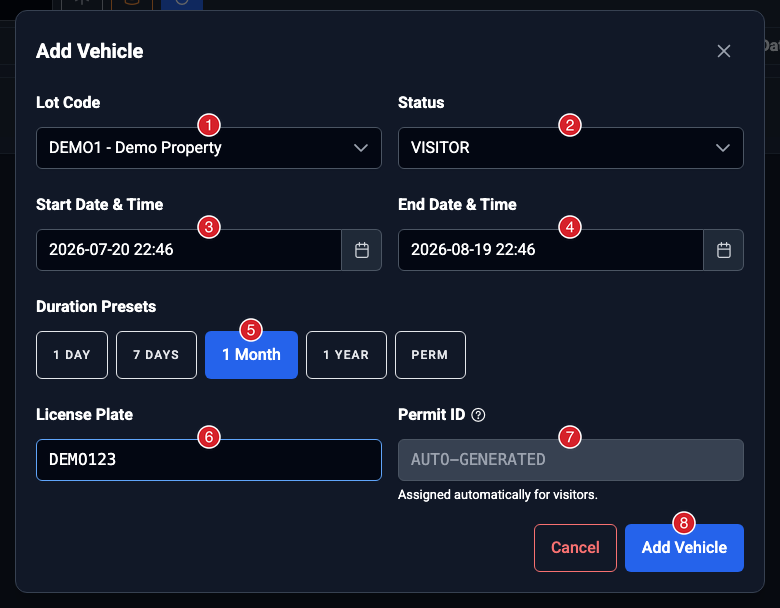
| 1 Lot Code | The property where the vehicle parks. Only your properties appear. |
| 2 Status | Vehicle type: Visitor, Tenant (parked indoor or outdoor), or Employee. |
| 3 Start Date & Time | When the permit begins. Defaults to the current time. |
| 4 End Date & Time | When the permit expires. Set it directly or use a preset. |
| 5 Duration Presets | One click sets the end date: 1 Day, 7 Days, 1 Month, 1 Year, or PERM (10 years). |
| 6 License Plate | The vehicle's plate, letters and numbers only. |
| 7 Permit ID | Auto-generated for visitors. For Tenant or Employee statuses, enter the stall number or identifier here. |
| 8 Add Vehicle | Saves the permit. The vehicle appears in your list right away. |
5
Manage a Vehicle
Each row has action buttons in the Actions column on the far right. Scroll the table sideways if you do not see them.
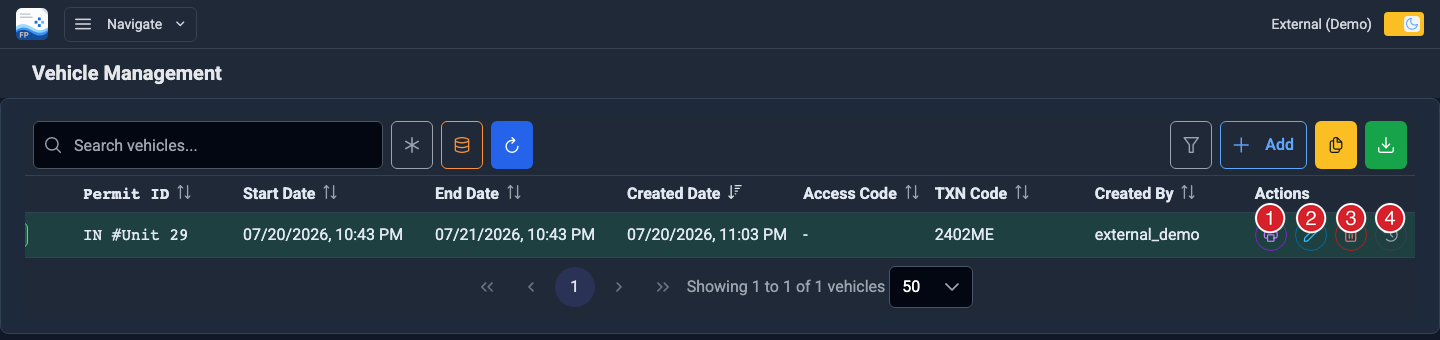
| 1 Print Receipt | Prints the permit receipt. Available once the permit has a transaction code. |
| 2 Edit | Opens the Step 4 form pre-filled. Click Save Changes when done. |
| 3 Delete | Removes the vehicle and its permit. You will be asked to confirm first. |
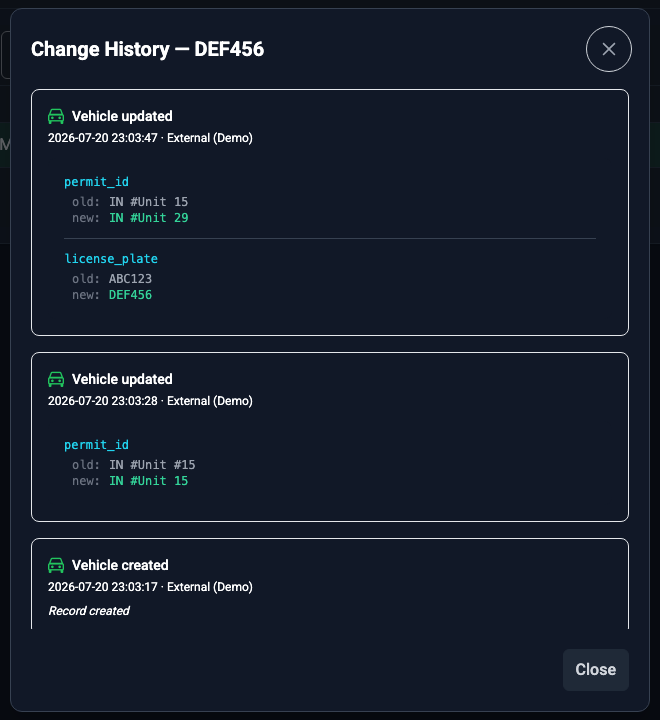
| 4 Change History | Shows every change made to the vehicle. Appears once a vehicle has at least one change. |
Change History lists each change with the field, the old and new values, the date, and who made it: